Top 10 online tools for digital marketing for small business
Table of Contents

What is a marketing tool?
Marketing tools for digital marketing for small business refer to a wide range of software, platforms, and resources that businesses use to implement, manage, and analyse their marketing strategies. Marketing tools for digital marketing for small business are designed to help businesses streamline and optimize various aspects of marketing, such as content creation, social media management, customer engagement, data analysis, and campaign tracking. They are essential for improving efficiency, effectiveness, and ROI (Return on Investment) in marketing efforts.
In today’s digital era, small businesses must know online marketing tools for digital marketing to stay competitive. small businesses often face budget constraints, which makes free online marketing tools an invaluable resource. Online tools for digital marketing for small business helps with everything from managing social media accounts to optimizing website traffic, improving search engine rankings, and even designing stunning graphics—all without breaking the bank.
Here’s a detailed guide to the Top 10 Free Online Marketing Tools for Small Businesses to help you streamline your digital marketing efforts:
Google Analytics
Used For :
Website performance analysis and tracking.
Overview:
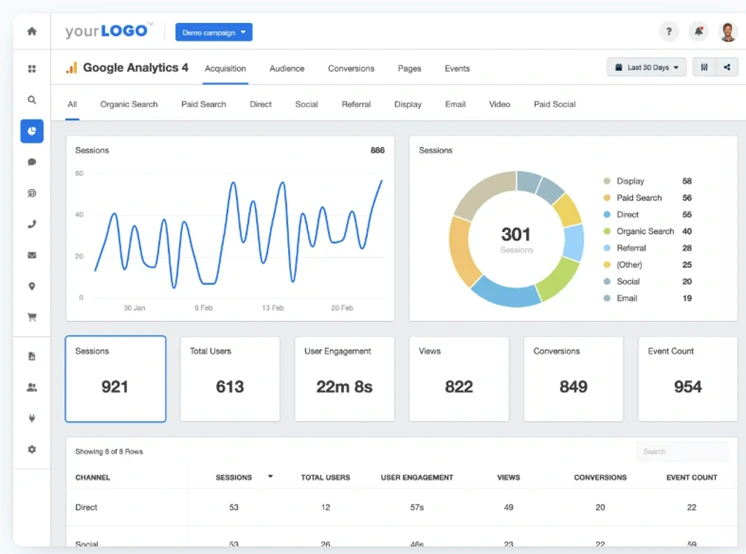
Google Analytics is one of the most powerful and widely used free marketing tools for digital marketing. It provides detailed insights into how visitors interact with your website, allowing you to make data-driven decisions to improve performance. For small businesses, understanding how customers behave online is crucial to improving user experience, increasing conversions, and identifying areas for growth.
Key Features:
- Audience Insights: Track the demographics, behaviours, and interests of visitors.
- Traffic Sources: Identify where your visitors are coming from (organic search, paid search, direct, referral, etc.).
- Goals and Conversions: Set up goals to track specific actions, like completing a purchase or filling out a contact form.
- Real-Time Analytics: Monitor user activities as they happen on your website.
How It Helps Small Businesses:
By using Google Analytics, businesses can track the effectiveness of their digital marketing campaigns, measure customer engagement, and discover opportunities to optimize website content. This tool helps small businesses maximize ROI on marketing campaigns by allowing them to focus on strategies that work.
2.Mailchimp
Used for:
Email marketing and automation.
Overview:
Mailchimp is one of the most popular email marketing platforms for small businesses, offering a free plan for up to 500 subscribers and 3,500 emails per month. It provides an easy-to-use interface for creating email campaigns, automating follow-ups, and managing email lists. For small businesses, building and nurturing an email list is essential for maintaining customer relationships.
Key Features:
- Email Campaign Creation: Drag-and-drop email editor with customizable templates.
- Automation: Set up automated email workflows like welcome emails, abandoned cart reminders, and follow-up emails.
- Analytics: Track open rates, click-through rates, and conversions to optimize email performance.
- Segmentation: Organize email lists into segments based on subscriber behaviors, ensuring personalized email content.
How It Helps Small Businesses:
With Mailchimp, businesses can nurture leads and keep customers engaged through regular newsletters, promotions, or event updates. The automation features allow businesses to send timely, relevant content without spending a lot of time on manual tasks.
3.Canva
Best for:
Graphic design and content creation.
Overview:
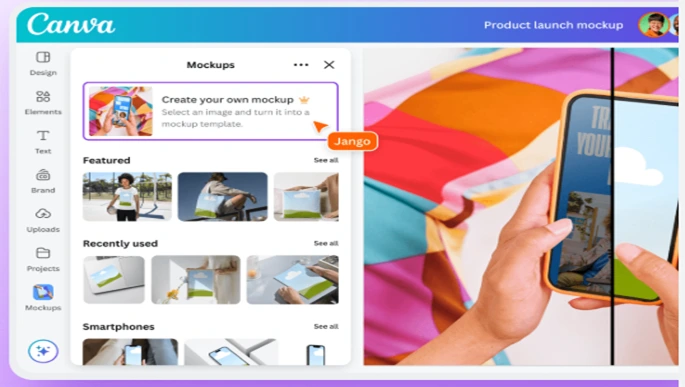
Canva is a user-friendly graphic design tool that allows small businesses to create professional-looking designs without the need for a design background. Whether you need social media posts, flyers, presentations, or marketing banners, Canva provides templates, images, and fonts to help you design eye-catching content.
Key Features:
- Templates: A large collection of pre-designed templates for social media, print materials, and web design.
- Drag-and-Drop Interface: Easy to use, with no prior design knowledge required.
- Collaboration: Work with team members or clients in real-time.
- Brand Kit: Save logos, colors, and fonts for consistent branding across all designs.
How It Helps Small Businesses:
Canva empowers small businesses to create high-quality marketing materials, such as social media posts, advertisements, and email newsletters, all on a budget. It’s an excellent choice for non-designers who need to produce engaging visuals without hiring a graphic designer.
4.Hootsuite
Best for:
Social media management and scheduling.
Overview:
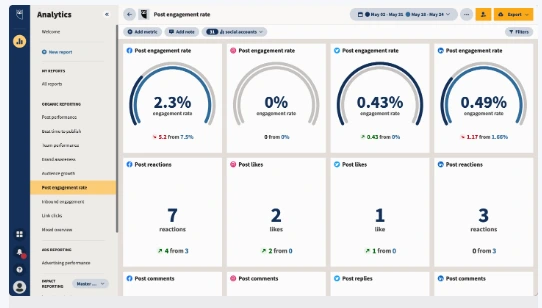
Hootsuite is one of the most popular social media management tools for digital marketing, allowing users to schedule, monitor, and analyze social media content from a single dashboard. For small businesses, managing multiple social media accounts and staying consistent in posting can be time-consuming. Hootsuite streamlines this process by allowing businesses to schedule posts, track mentions, and analyze engagement across various platforms.
Key Features:
- Scheduling: Plan and schedule posts across platforms like Facebook, Twitter, LinkedIn, and Instagram.
- Analytics: Track performance metrics, such as engagement and follower growth.
- Streams: Monitor real-time conversations, mentions, and hashtags.
- Team Collaboration: Allow multiple users to manage accounts and engage with followers.
How It Helps Small Businesses:
Hootsuite helps small businesses save time by automating social media posting and providing insights into what content performs best. By managing multiple platforms from one dashboard, businesses can maintain a consistent social media presence with minimal effort.
5.Buffer
Best for:
Social media scheduling and content management.
Overview:
Buffer is another top social media management tool that allows businesses to schedule and analyze their posts. Like Hootsuite, Buffer helps streamline social media efforts but with a more straightforward user interface and limited integrations in the free version. It’s especially beneficial for businesses looking to maintain a consistent presence on platforms like Facebook, Twitter, and LinkedIn.
Key Features:
- Content Scheduling: Schedule posts across social media platforms with a simple interface.
- Performance Insights: Track engagement and see which posts resonate with your audience.
- Content Calendar: Organize content and plan future posts.
How It Helps Small Businesses:
Buffer simplifies social media management by allowing small businesses to plan and schedule posts in advance. businesses can determine what type of content performs best and refine their strategies accordingly.
6.Google My Business
Best for:
Local SEO and business listing management.
Overview:
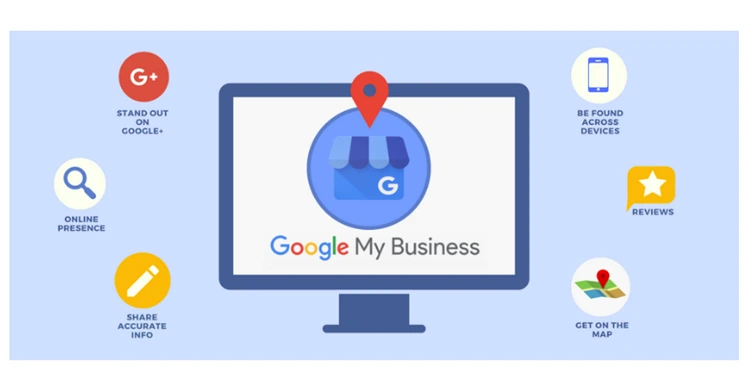
Google My Business (GMB) is an essential tool for small businesses aiming to boost their local SEO and improve visibility on Google Search and Maps. With Google My Business, you can create and optimize a free business listing, enabling customers to find your business and get crucial details like location, hours, and contact information.
Key Features:
- Business Profile: Create and manage a free profile that displays key business information.
- Customer Reviews: Respond to customer reviews to build trust and reputation.
- Insights: Track how customers find and interact with your listing.
- Posts: Share updates, promotions, and events directly on your profile.
How It Helps Small Businesses:
By managing your GMB profile, small businesses can improve their visibility in local search results. GMB is especially useful for businesses with physical locations, as it drives more foot traffic and encourages online reviews that influence potential customers.
7.Ubersuggest
Best for:
SEO and keyword research.
Overview:
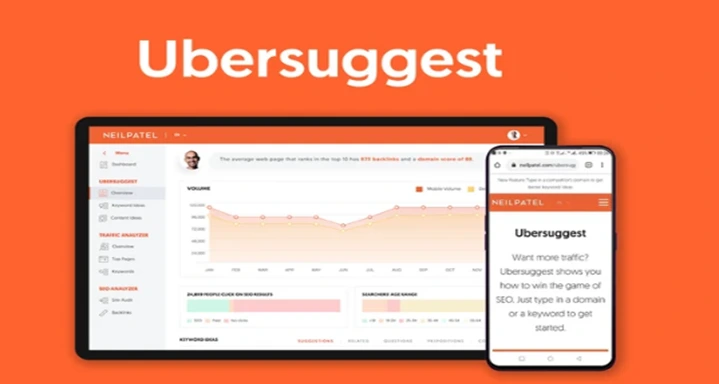
Ubersuggest is a free SEO tool created by Neil Patel that provides insights into keyword performance, competitor analysis, and website optimization. It helps small businesses find the right keywords to target, analyze competitor strategies, and improve their website’s SEO performance.
Key Features:
- Keyword Research: Find high-traffic keywords relevant to your business and audience.
- Site Audit: Identify and fix SEO issues on your website.
- Competitor Analysis: Compare your site’s performance with competitors.
- Backlink Data: Track backlinks to improve domain authority.
How It Helps Small Businesses:
With Ubersuggest, small businesses can perform comprehensive SEO research without spending money on premium SEO tools. By optimizing their website and targeting the right keywords, companies can improve their search engine rankings and drive more organic traffic.
8.Trello
Project management and team collaboration.
Best for:
Overview:
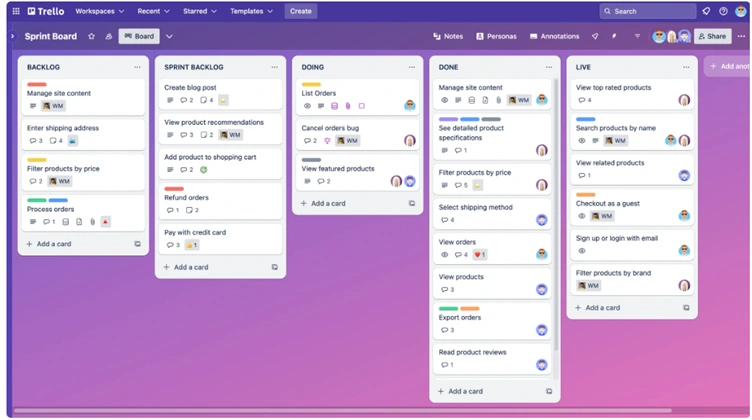
A simple yet powerful project management tool that uses boards, lists, and cards to organize tasks and workflows. It’s great for small businesses to collaborate, manage marketing projects, and keep track of progress across teams. For marketing teams, Trello can plan campaigns, track deadlines, and collaborate on content creation.
Key Features:
- Task Management: Organize tasks into boards, lists, and cards.
- Collaboration: Invite team members, assign tasks, and track progress.
- Integration: Integrate with tools like Google Drive, Slack, and Mailchimp.
- Deadline Tracking: Set due dates and reminders for tasks.
How It Helps Small Businesses:
Trello helps small businesses stay organized and ensures that marketing tasks are completed on time. Whether you’re running a content campaign or organizing an event, Trello helps keep everything on track and facilitates smooth team collaboration.
9.MozBar
Best for:
SEO performance tracking.
Overview:
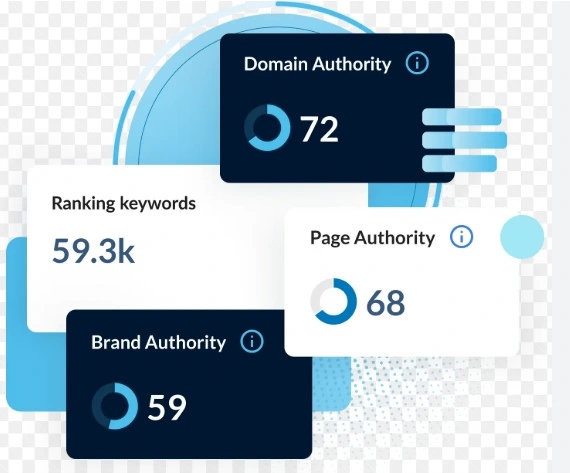
MozBar is a free Chrome extension that allows small businesses to view the SEO metrics of any webpage directly in their browser. With MozBar, you can track domain authority, page authority, and analyze on-page SEO factors such as backlinks and keyword use.
Key Features:
- SEO Metrics: View domain authority, page authority, and backlinks.
- Keyword Analysis: Track keyword density and SEO elements.
- Competitor Insights: Compare SEO metrics with competitors’ sites.
- On-Page SEO Tools: Analyze on-page elements like meta tags and content structure.
How It Helps Small Businesses:
MozBar allows small businesses to monitor their website’s SEO performance and easily analyze competitor sites. By utilizing these insights, businesses can improve their SEO strategy, optimize content, and enhance their search engine rankings.
10.SurveyMonkey
Best for:
Customer feedback and surveys.
Overview:
SurveyMonkey offers a free plan for creating surveys to gather valuable feedback from customers. Understanding customer satisfaction, opinions, and preferences is key for businesses to improve their products and services. SurveyMonkey’s easy-to-use platform helps small businesses design surveys and collect actionable insights.
Key Features:
- Customizable Surveys: Create surveys with various question types (multiple choice, rating scales, etc.).
- Data Analytics: View and analyze survey results with charts and graphs.
- Survey Templates: Use pre-made templates to quickly create surveys.
- Shareable Links: Share surveys via email or social media.
How It Helps Small Businesses:
SurveyMonkey helps small businesses collect valuable feedback from customers, which can inform business decisions, product development, and marketing strategies. By understanding customer preferences, businesses can improve their offerings and boost customer satisfaction.
Why Marketing Tools Are Important for Businesses
- Efficiency: Marketing tools automate routine tasks, saving businesses time and resources while ensuring consistency across channels.
- Better Targeting: With data-driven insights, businesses can segment their audience and deliver personalized campaigns that resonate with each group.
- Performance Tracking: Marketing tools help businesses track the effectiveness of their strategies and optimize efforts based on real-time data.
- Cost-Effectiveness: Many marketing tools, especially free or freemium options, offer businesses powerful features without the need for significant financial investment.
- Improved Customer Experience: By using CRM, automation, and feedback tools, businesses can provide personalized, relevant experiences that enhance customer satisfaction and loyalty.
Conclusion
These free Online Marketing Tools for digital marketing empower small businesses to enhance their marketing efforts without spending a fortune. From email marketing and social media management to SEO and customer feedback, these tools provide everything you need to drive traffic, build relationships, and increase sales. By strategically leveraging these tools, small businesses can compete effectively in the digital marketplace and achieve long-term success.
online marketing tools for digital marketing are essential for modern-day marketing, providing businesses with the resources they need to create, implement, and measure marketing strategies effectively. Whether it’s managing social media, optimizing SEO, running email campaigns, or analysing performance, marketing tools help businesses stay organized, competitive, and agile.
Leave a Reply